 TribuSplit
How to track your travel expenses and know what you've spent in your own currency
By day three of a trip, almost nobody knows how much they've spent. Not out of carelessness: small purchases, mental currency math and card charges that show up later all make the real number slip away. A simple log fixes that in a few seconds a day.
Why the budget disappears without you noticing
The big costs of a trip (flights, accommodation, a tour) are easy to remember. What throws the numbers off is the small stuff: a coffee, a metro ride, a bottle of water, a tip. Each one feels insignificant, but ten a day for a week add up to a real share of the total.
Then there's the currency. When everything is in euros or pesos, every price needs a mental conversion, and the mind rounds in your favor. And card charges land on your statement days or weeks later, at a different rate.
The fix isn't a complicated spreadsheet. It's three habits: log it right away, in the currency you paid, and check the total in your own currency once a day.
1. Log every expense right away
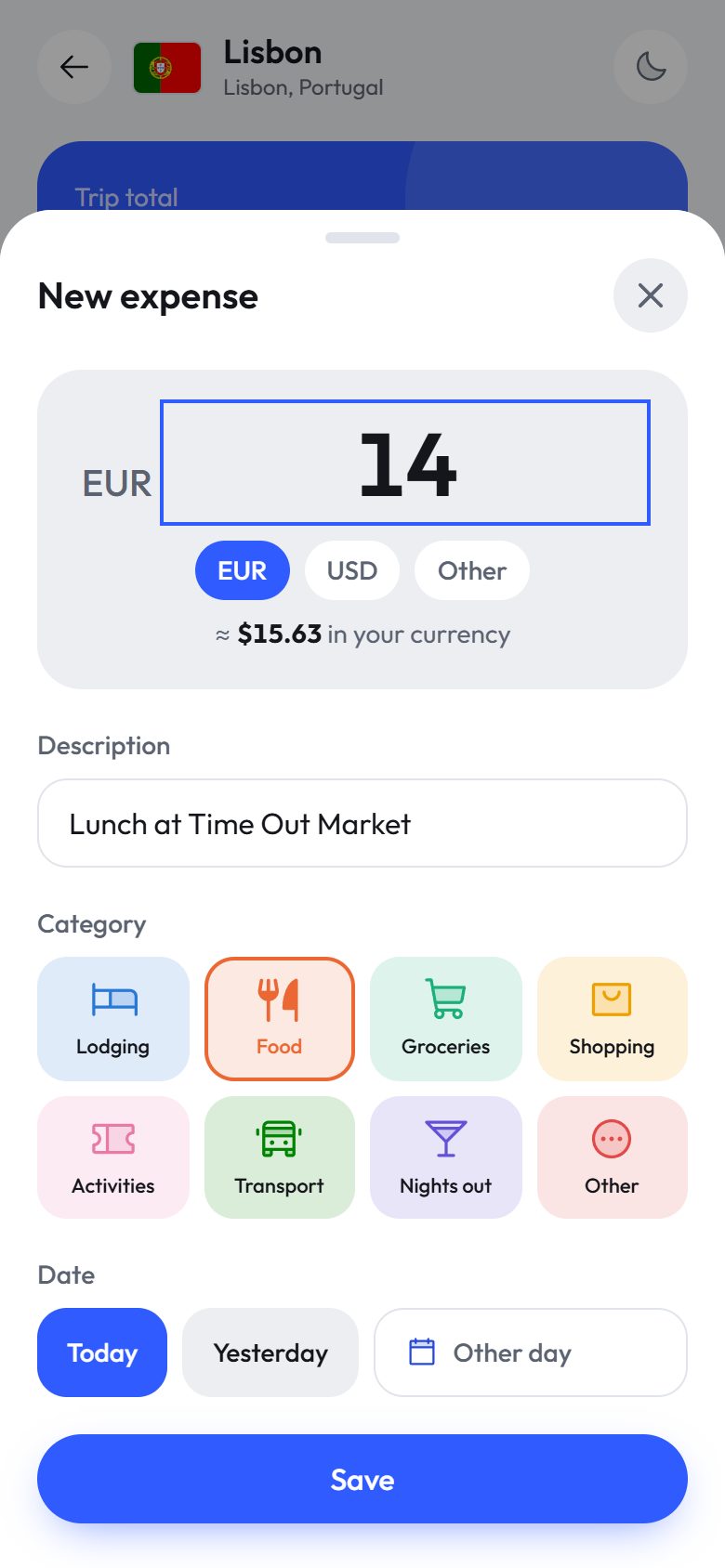
The habit that makes the biggest difference is recording each expense as soon as you pay: amount, a short description and a category. It takes ten seconds with your phone in hand. Leave it for the evening and you've forgotten the tram ticket; leave it for the end of the trip and the number you reconstruct will be lower than the real one.
You don't need accountant-level detail: "Lunch at Time Out Market, €14" is enough. What matters is that nothing is missing.
2. Use the currency you paid in, not yours
If you paid €14, log €14. Converting on the spot forces you to pick a rate, and if it moves, your log drifts. It's better to keep the original amount and convert the total with the day's rate.
If you paid something in a different currency, log it in that currency: a good tool converts it into the trip's currency for you.
3. Few categories, always the same ones
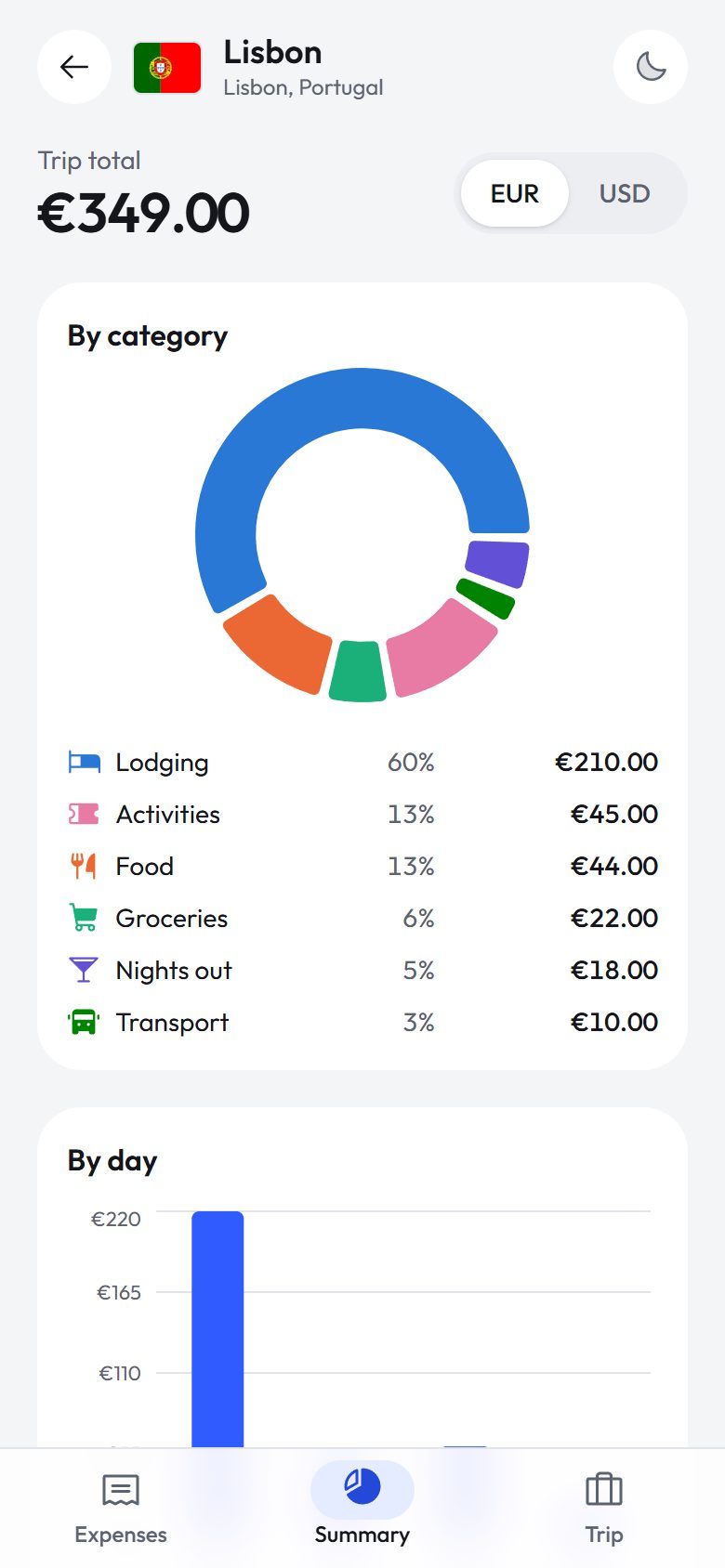
Seven or eight categories are enough: lodging, food, groceries, transport, activities, nights out, shopping and other. More than that makes logging harder without adding much. At the end of the trip, categories answer the question that matters: where did the money go?
4. Check the total in your currency once a day
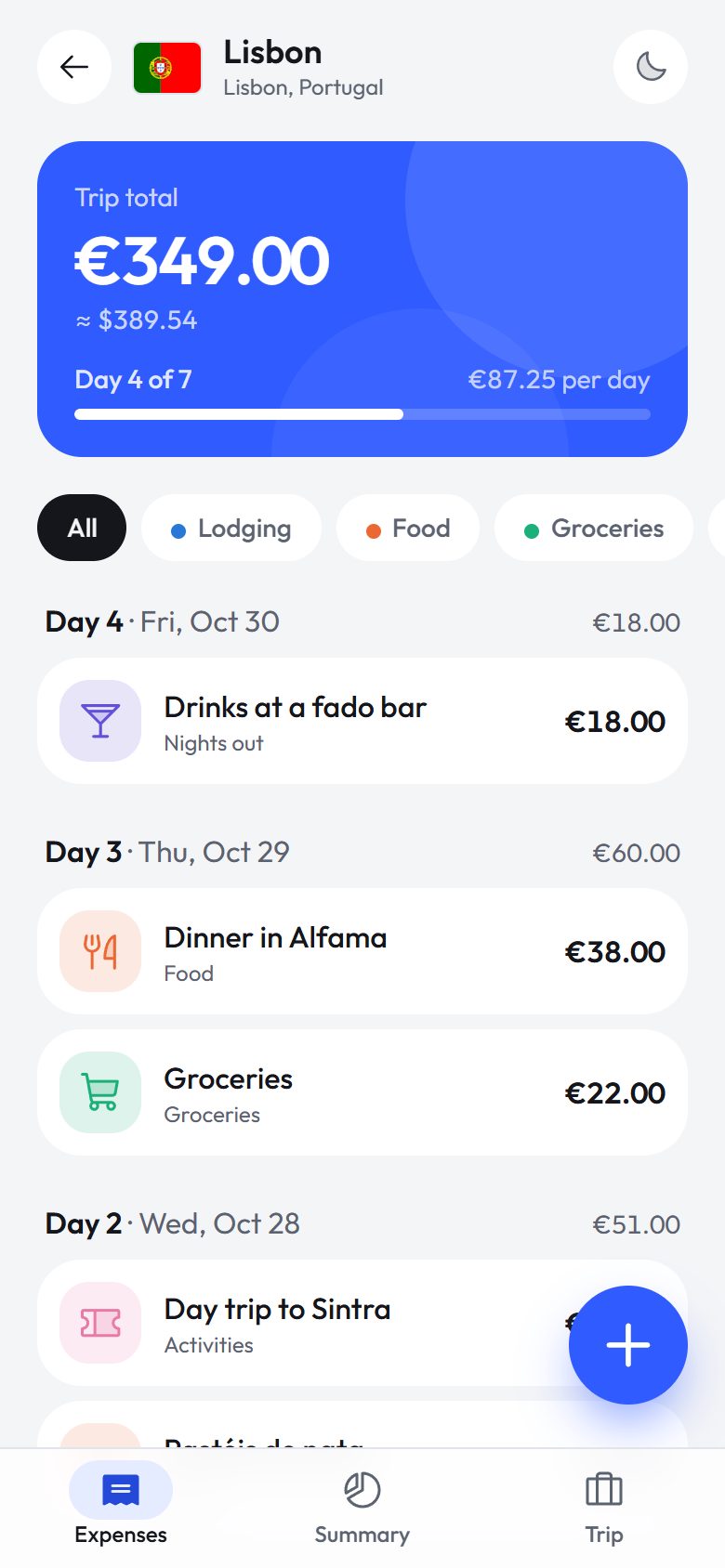
A trip total in a currency you don't use every day means little. What helps is seeing the equivalent in your own currency and the average per day: if you planned to spend €60 a day and you're at €85, there's still time to adjust.
5. Keep pre-trip costs separate
Flights, the accommodation deposit or travel insurance get paid weeks before. Log them anyway, with their real dates: your trip total stays complete, while the daily average only reflects what you spend while you're there.
How to do it with TribuSplit when traveling solo
TribuSplit started as a way to split costs in a group, but it also has a solo mode built precisely for this kind of log:
- Create the trip and choose "Solo". Pick the destination (the local currency fills in automatically), your dates and your home currency.
- Add each expense with the + button. The amount goes in the local currency; if you paid in another one, pick it and it converts at the day's rate, which you can adjust.
- Check the total, the daily average and the summary. The summary breaks spending down by category and by day, in the trip's currency or in yours.

You don't need an account to start, and if someone joins the trip later, you turn it into a group trip in one tap: you get an invite code and expense splitting.
Common mistakes
- Only logging the big stuff. The small things are exactly what breaks the budget.
- Converting by eye. One rounding per purchase is nothing; fifty of them is not. For checking prices on the street, the travel currency converter has a quick table.
- Forgetting card fees. If your card charges a foreign transaction fee, add it to the expense or log it separately.
- Only looking at the total after you're home. By then there's nothing left to adjust.
FAQ
Do I need to create an account?
No. You can start without one and, if you want to keep the trip when you switch phones, save your access later with email or Google.
Which exchange rate does it use?
The day's mid-market rate. For an expense in another currency you can type the rate you actually paid.
Does it work for a couple?
Yes, but then choose "With others": each person logs what they pay and the app tells you who owes whom at the end. We explain it in how to split expenses as a couple.
In short: log every expense right away and in the currency you paid, keep a short list of categories and check the total in your own currency once a day. You'll come home knowing exactly what you spent and on what.